

Home
/
QJ36B-2A Digital DC Bridge
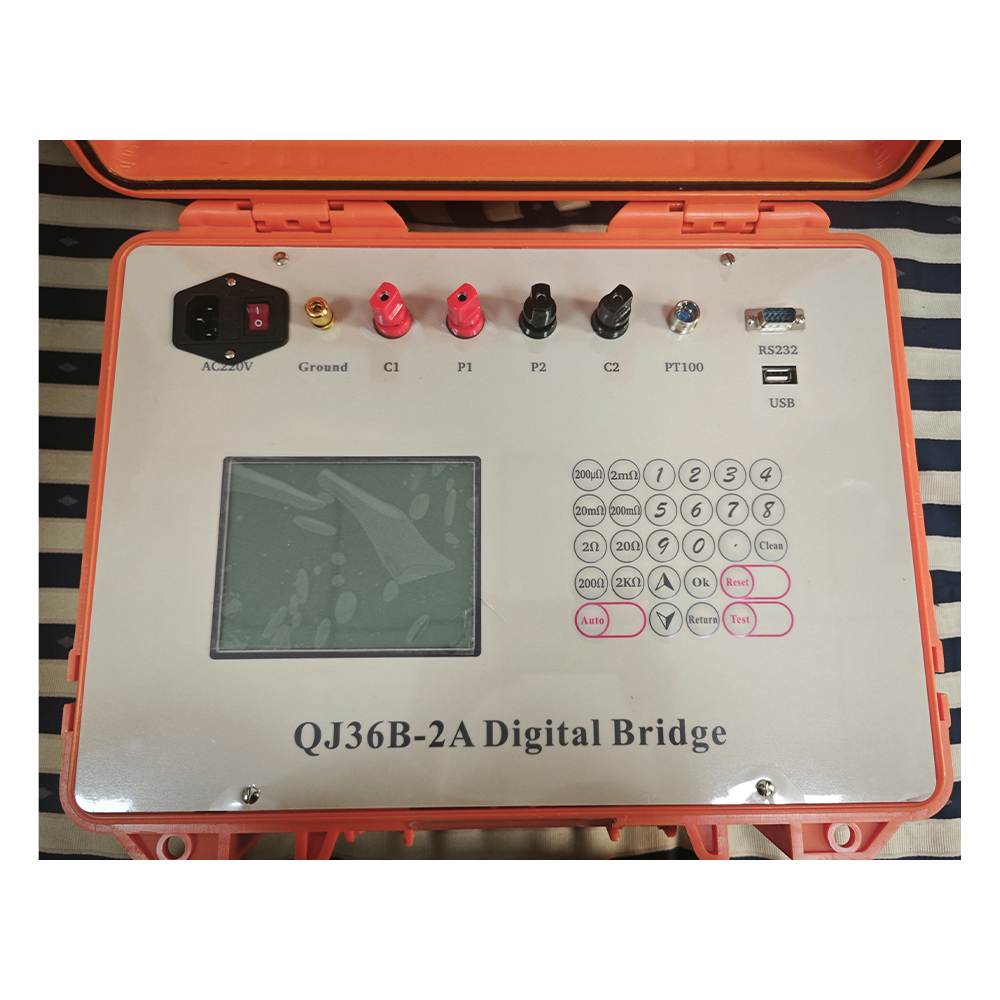
QJ36B-2A Digital DC Bridge
1:Test Objects: DC resistance of wires, cables, copper rods, aluminum rods, and similar conductors.
2:Product Positioning: An upgraded product designed to replace QJ44 and QJ57 models.
3:Display Screen: 5‑inch LCD screen for intuitive reading.
4:Operation Mode: Manual and automatic range operation.
5:Performance: High measurement accuracy and excellent stability.
6:Temperature Measurement Function: Capable of measuring actual temperature and converting resistance values directly to those at 20°C.
7:Cable Length Calculation: When resistivity is known, it can calculate the length of the entire cable spool.
8:Interface: Equipped with an RS‑232 interface for communication with computers.
9:Technical Performance Standard: Complies with GB/T 3048.4 standard for testing the DC resistance of conductors
10:Measurement Range: 0‑2kΩ.
2:Product Positioning: An upgraded product designed to replace QJ44 and QJ57 models.
3:Display Screen: 5‑inch LCD screen for intuitive reading.
4:Operation Mode: Manual and automatic range operation.
5:Performance: High measurement accuracy and excellent stability.
6:Temperature Measurement Function: Capable of measuring actual temperature and converting resistance values directly to those at 20°C.
7:Cable Length Calculation: When resistivity is known, it can calculate the length of the entire cable spool.
8:Interface: Equipped with an RS‑232 interface for communication with computers.
9:Technical Performance Standard: Complies with GB/T 3048.4 standard for testing the DC resistance of conductors
10:Measurement Range: 0‑2kΩ.
Quantity
-
Detail
Ⅰ、Overview
The QJ36B-2A Digital Bridge is a new-generation instrument designed for measuring the DC resistance of cables, wires, copper bars, and aluminum bars. It is an upgraded model of the Kelvin bridge and the QJ36B-2 bridge. The QJ36B-2A features a maximum test current of 10A and utilizes a 6-inch LCD screen for intuitive readings, offering high measurement accuracy, excellent stability, and user-friendly automatic range switching.This bridge includes a temperature measurement function, allowing for automatic conversion of real time resistance values to the standard 20°C reference. Equipped with USB and RS-232 interfaces, test data can be stored on a USB drive in Excel format, while the RS-232 port enables communication with a computer. The instrument’s technical specifications comply with the GB/T 3048.4 standard for testing the DC resistance of conductors.
Ⅱ. Main Technical Specifications
1. Environmental Conditions for Use
a. Reference Conditions:Temperature: 20 °C ± 0.5 °C
Relative Humidity: 40%–60% (applicable to laboratory conditions when the instrument is submitted for inspection)
b. Nominal Conditions:Temperature 10℃-30℃
Relative Humidity 25%-75%
2. The main parameters for each range are shown in the table below.Range Test Current Resolution Measurement Range Basic Error 200μΩ 10A 0.01μΩ 0-199.99μΩ ±(0.4℅Rx+0.15℅Rm) 2mΩ 10A 0.1μΩ 0-1.9999mΩ ±(0.15℅Rx+0.05℅Rm) 20mΩ 1A 1μΩ 0-19.999mΩ ±(0.1℅Rx+0.05℅Rm) 200mΩ 0.5A 10μΩ 0-199.99mΩ ±(0.04℅Rx+0.015℅Rm) 2Ω 100mA 100μΩ 0-1.9999Ω 20Ω 100mA 1mΩ 0-19.999Ω 200Ω 10mA 10mΩ 0-199.99Ω 2kΩ 1mA 100mΩ 0-1.9999kΩ
3. Power Supply:AC220V 50Hz±2
4. Overall Dimensions:420×300×200mm
5.Weight:8kg
6. Temperature Meter:Range 0-80℃ Accuracy:±1℃ Resolution:0.1℃
Ⅲ、Operation Method
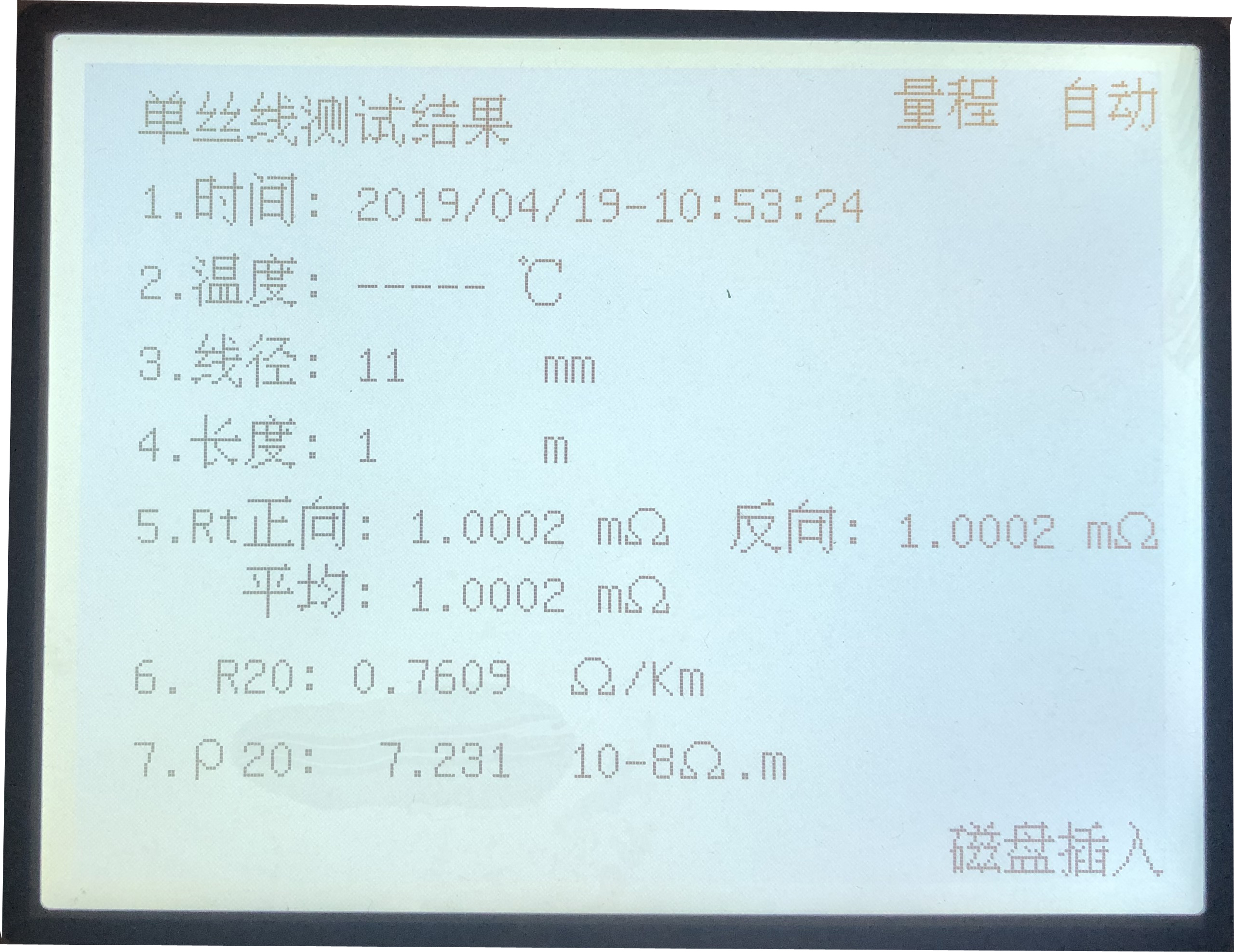
1.Please refer to the connecting diagram for proper connection.(as below)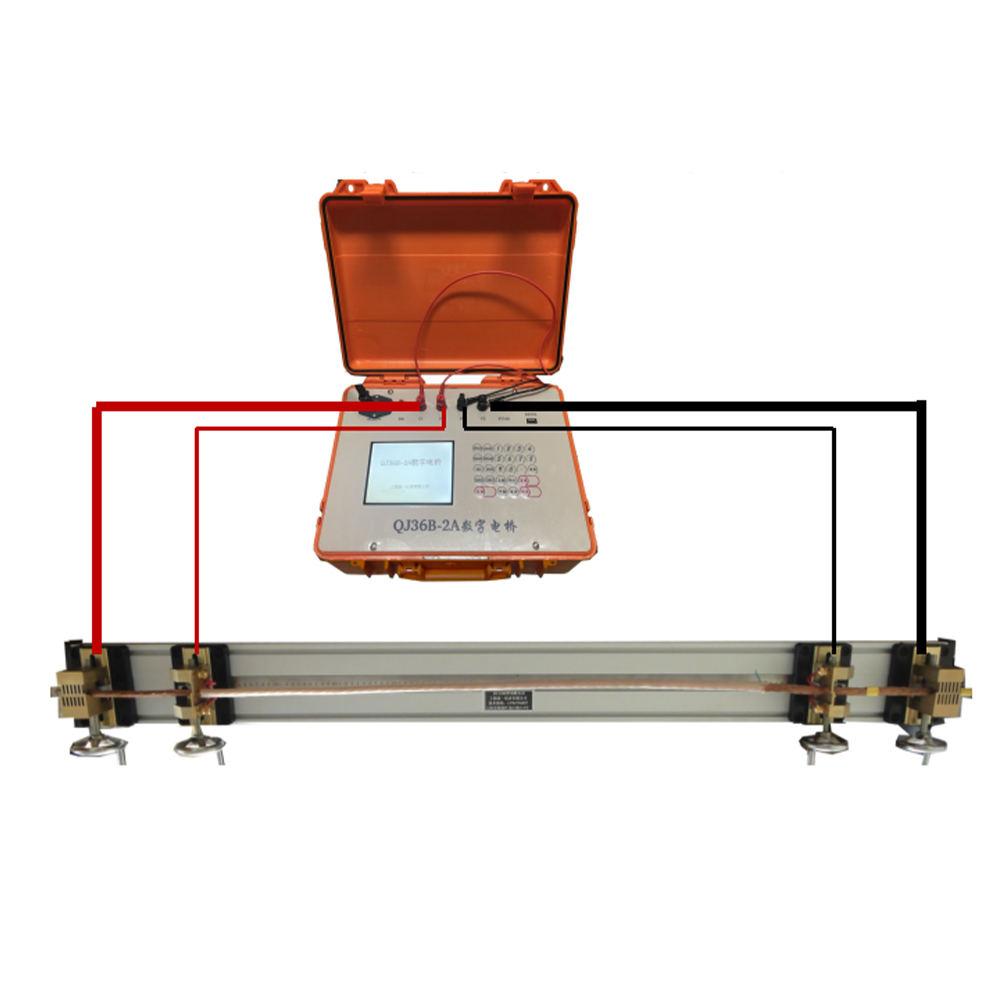
2. Turn on the power
Connect the power supply cord to an AC 220V outlet and turn on the power switch. The display interface will appear.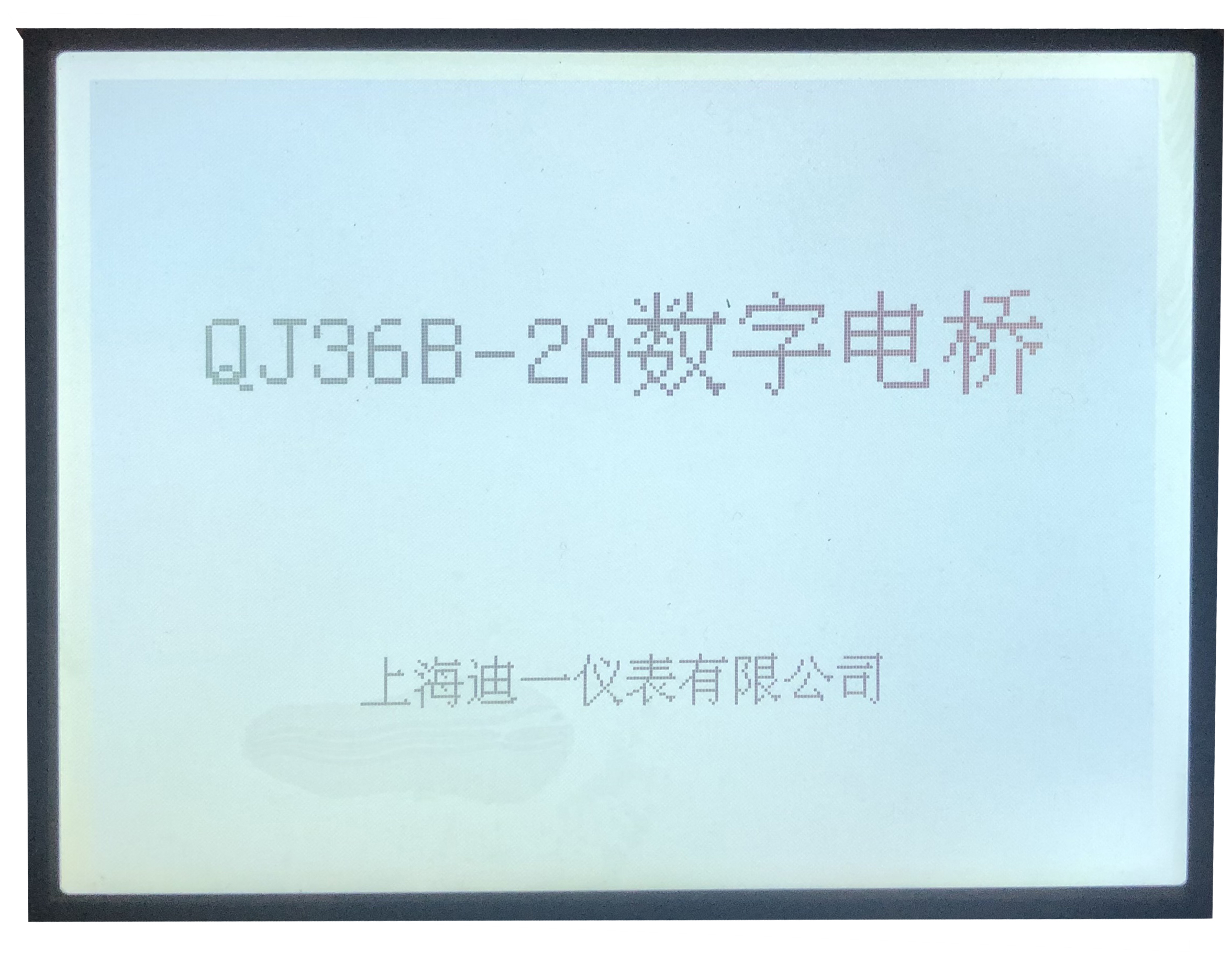
Press the "Confirm" button to enter the settings interface.
3. Settings Configuration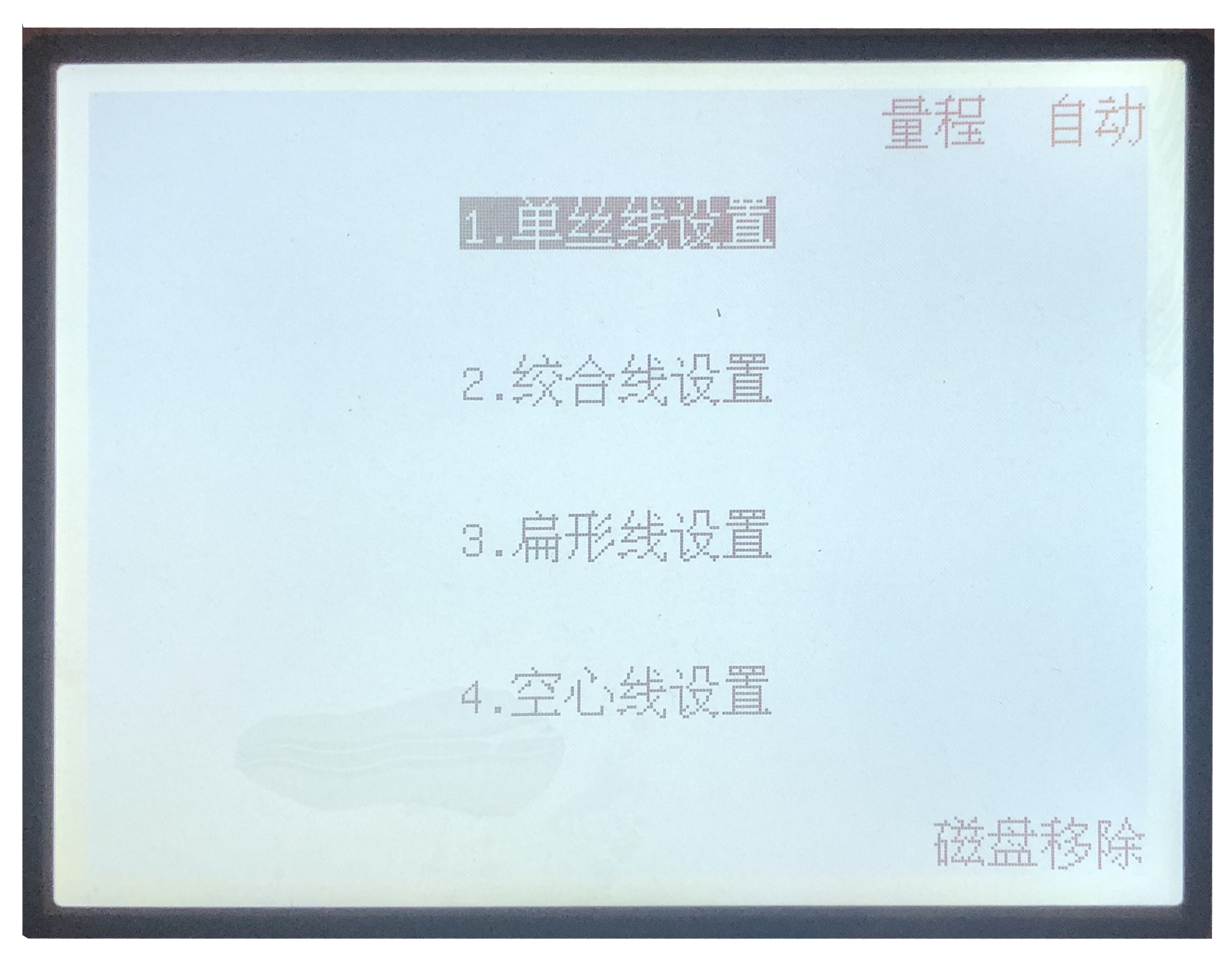
Press the Up and Down arrow keys to move the cursor.
1)Single Wire Setting Interface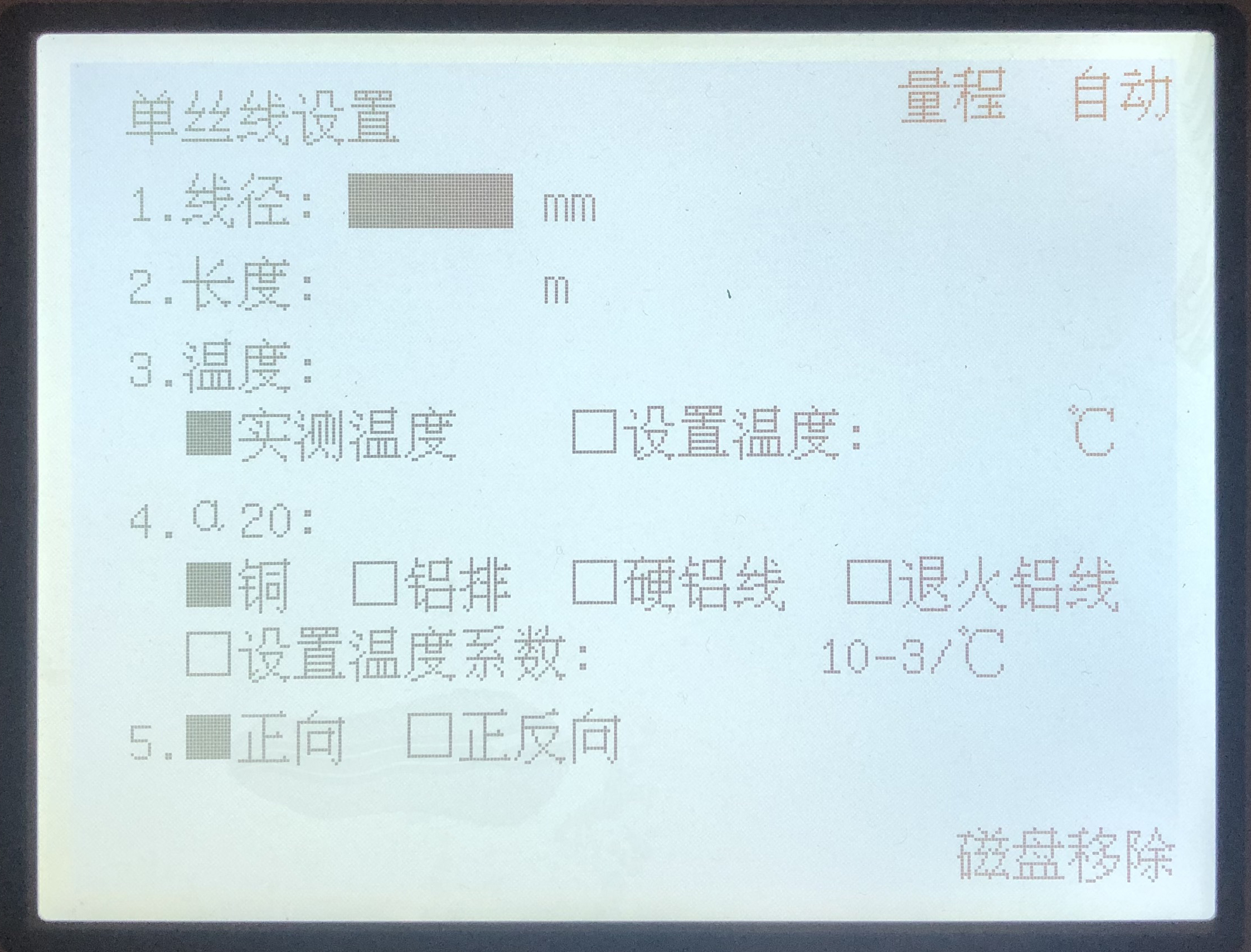
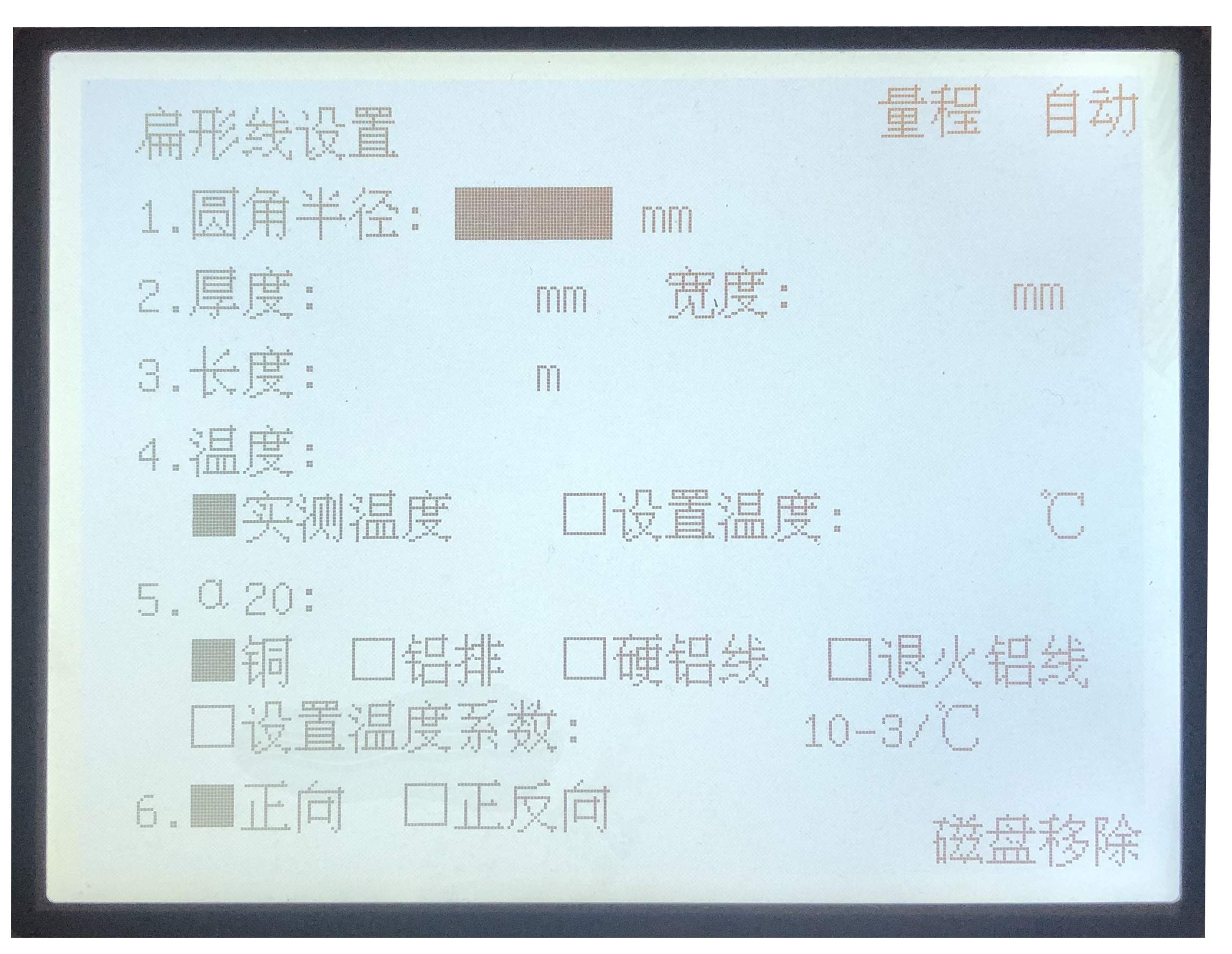
Press the Up and Down keys to move the cursor, then press the Confirm key to select.
Press the Test key to start the measurement.
Note: The conductor temperature coefficient α₍₂₀₎ can be found in Table 2.
2) Stranded Wire Setting Interface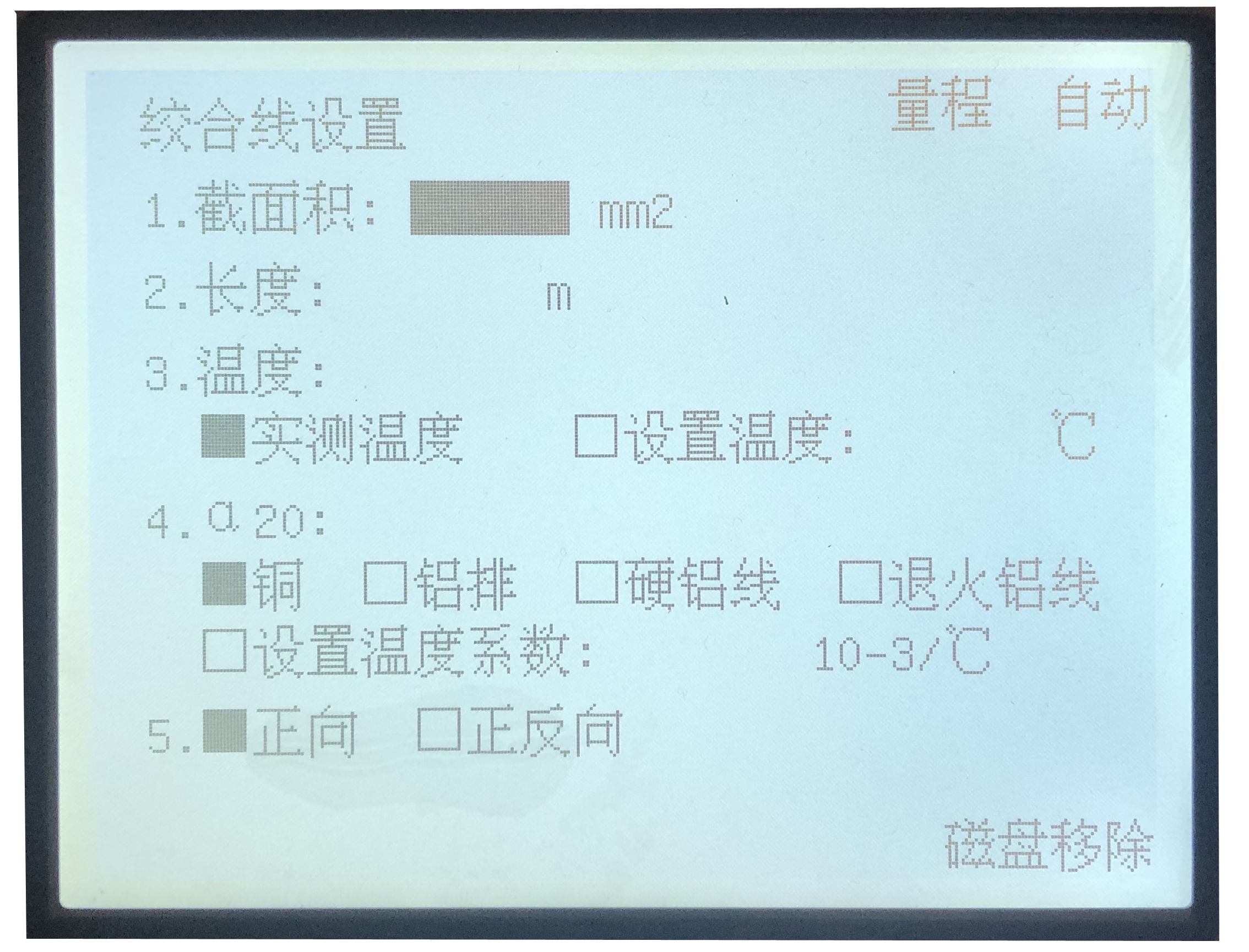
Press the Up and Down keys to move the cursor, then press the Confirm key to select.
Press the Test key to start the measurement.
Note: The conductor temperature coefficient α₍₂₀₎ can be found in Table 2.
3) Flat Wire Setting InterfacePress the Up and Down keys to move the cursor, then press the Confirm key to select.
Press the Test key to start the measurement.
Note: The conductor temperature coefficient α₍₂₀₎ can be found in Table 2.4) Hollow Wire Setting Interface
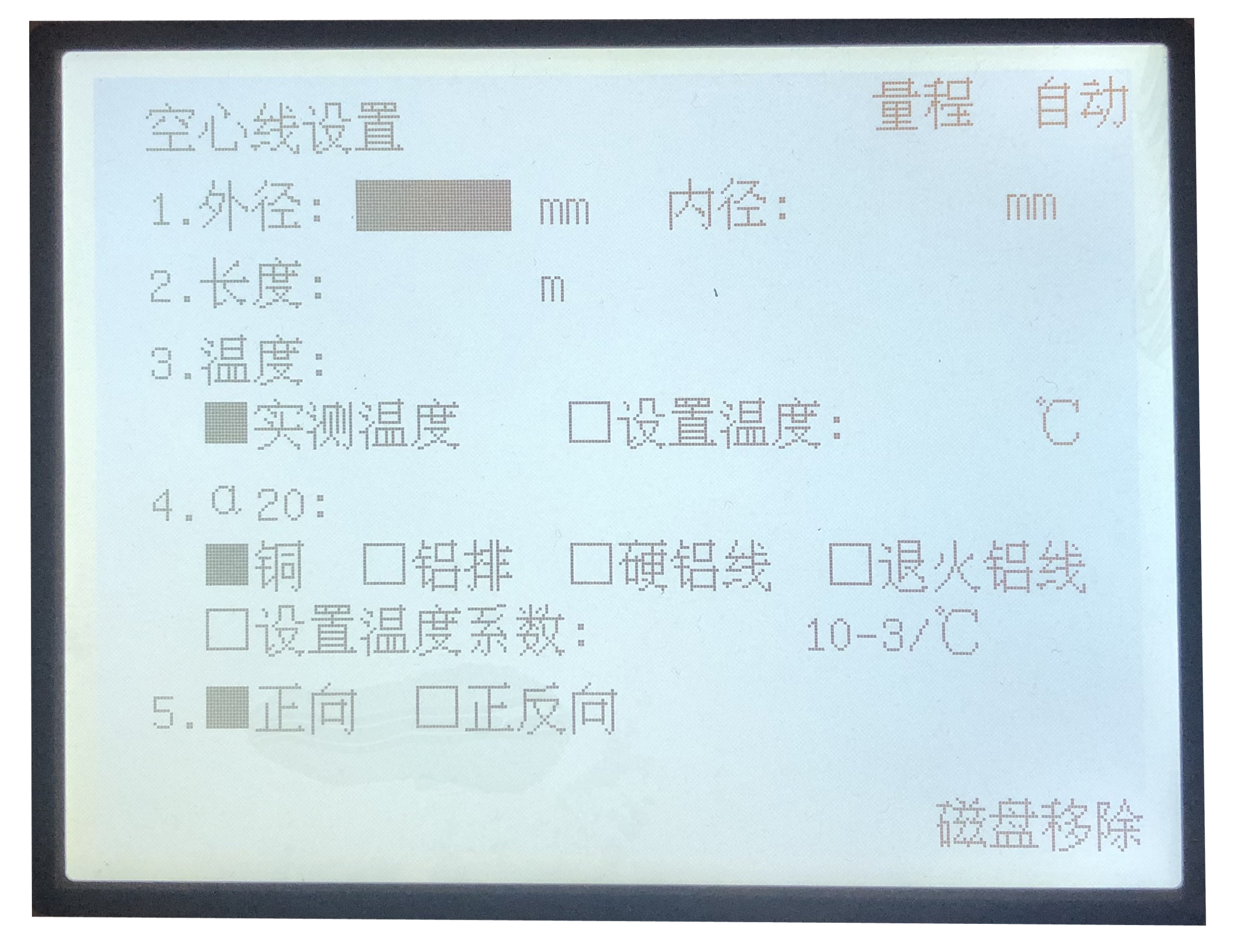 Press the Up and Down keys to move the cursor, then press the Confirm key to select.
Press the Test key to start the measurement.
Note: The conductor temperature coefficient α₍₂₀₎ can be found in Table 2.
Ⅳ、Range Selection
If the user has a rough estimated of the resistance range of the test object, manual range selection can be used to speed up the measurement process. Alternatively, automatic range selection is also available.
Ⅴ、Time Setting
From the initial interface, press the Down key first and Confirm key and hold for 3 seconds, the password input screen will appear.
Enter the password 8558, then press Confirm.
Set the current time using the Up and Down keys to move through the year, month, day, hour, minute, and second.
Press the Return key to exit the setting interface. The data will be saved automatically.
Ⅵ、Important Notes
1.Please insert or remove the USB flash drive only when the device is powered off.
2. Allow the device to warm up for 30 minutes after powering on.
3.If the measured value exceeds the range, the display will show “----”.
4.The bridge should be protected from external electromagnetic interference, and the surrounding air should be free of corrosive dust and impurities.
5.The resistivity measured by the bridge is for reference only and not intended for official metrological purposes.
Ⅶ、Complete Set
1.Certificate of Compliance 1
2.User Manual 1
3.Measuring connecting lines 1
4.Power supply cord 1
5.Fuse: 4A 4
Ⅷ、Appendix
Conductor Temperature Coefficient at 20°C
Copper:3.93
Aluminum Busbar:3.93
Hard Aluminum Wire:4.03
Annealed Aluminum Wire:4.07 -
Customer ReviewsNo comments